
Know when your agents
need you.
A quiet indicator for your coding agents.




curl -fsSL https://moonglade.josemi.me/install | sh
v0.4.0 · Apple Silicon · macOS 14+ · read it first · build from source
Three states, and no guessing between them.
A count per state, and no slot for the states sitting at zero. When nothing is running it collapses to a single dimmed moon.
At rest, all of that is this:

What the lights mean
- The agent is processing.
- Waiting at the prompt for you.
- A question, permission ask, or failed pipeline step needs you.
- Process exited, about to be reaped. Shown in the menu only.
A blocked session stays red until you answer it
Not until you glance at it. Visiting the tab does not clear a pending permission, so the bar never disagrees with the menu.
One click lands on the exact pane
Ghostty, cmux, iTerm2, Terminal, Orca, Herdr, tmux — Moonglade focuses the surface a session lives in, not merely the app. Panes are told apart by process, TTY and the name the agent gives its session, so agents sharing a directory keep to their own pane.
Inline actions
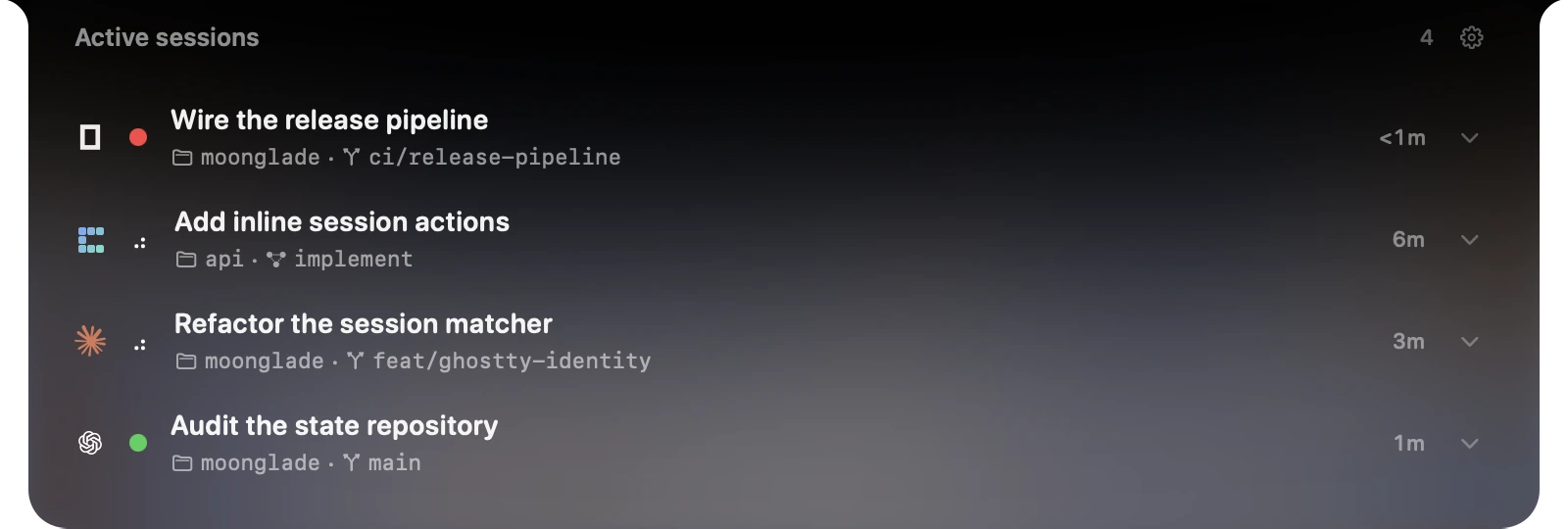
Expand a row to rename it, copy the project path, reveal it in Finder, kill the process, or close its exact tmux pane or Ghostty tab.
No network. No telemetry. No accounts.
It never opens a socket. Session metadata stays in
~/.moonglade/state
with user-only permissions, and your prompts and model responses are never
stored — not locally, not anywhere.
~1% CPU
A libproc scan at about 2 ms per sweep on a five-second heartbeat, off the main thread.
~16 MB
Event-driven throughout: kernel exit notifications and debounced directory observation.
Open source
Every line of the app, the hooks and this installer is on GitHub, under the MIT licence.
Two paths, one result.
Either way you end with the app in /Applications,
your agent hooks wired, and moonglade doctor
reporting a clean install.
Published build
Downloads the latest release, checks it against the published checksums, installs it. No Xcode needed.
curl -fsSL https://moonglade.josemi.me/install | sh
From source
Compiles it on your machine. Needs Swift 6.0+. Also the path for Intel Macs, which the published build does not cover.
git clone https://github.com/ixjosemi/Moonglade.git
cd Moonglade
./scripts/install.sh